
Extend BFF Server
In some applications, developers may want to handle all BFF functions uniformly, such as authentication, logging, data processing, etc.
Modern.js allows users to freely extend the BFF Server through Middleware method.
Using Middleware
Before using middleware, you need to install the @modern-js/server-runtime dependency. Make sure the version of @modern-js/server-runtime matches the version of @modern-js/app-tools in your project. All Modern.js official packages are released with a uniform version number, and version mismatches may cause compatibility issues.
Check the version of @modern-js/app-tools first, then install the same version of @modern-js/server-runtime:
Developers can use middleware by configuring middlewares in server/modern.server.ts. The following describes how to write a BFF middleware manually to add permission verification:
Then add a regular BFF function api/lambda/hello.ts:
Next, in the frontend src/routes/page.tsx, add the interface access code and directly use the integrated method to call:
Now run the dev command to start the project, and access http://localhost:8080/ to find that the request for /api/hello has been intercepted:
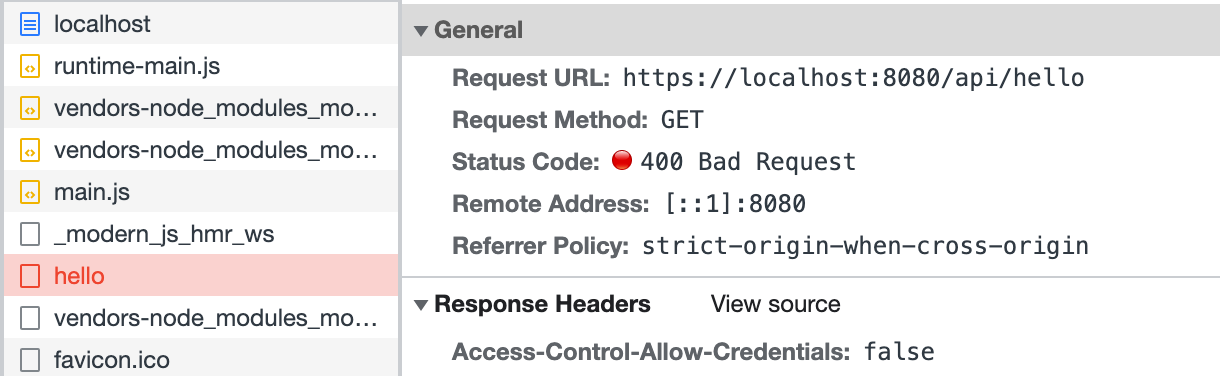
Finally, modify the frontend code src/routes/page.tsx, and call the login interface before accessing /api/hello:
This part does not implement a real login interface; the code is just for demonstration.
Refresh the page, and you can see that the access to /api/hello is successful:
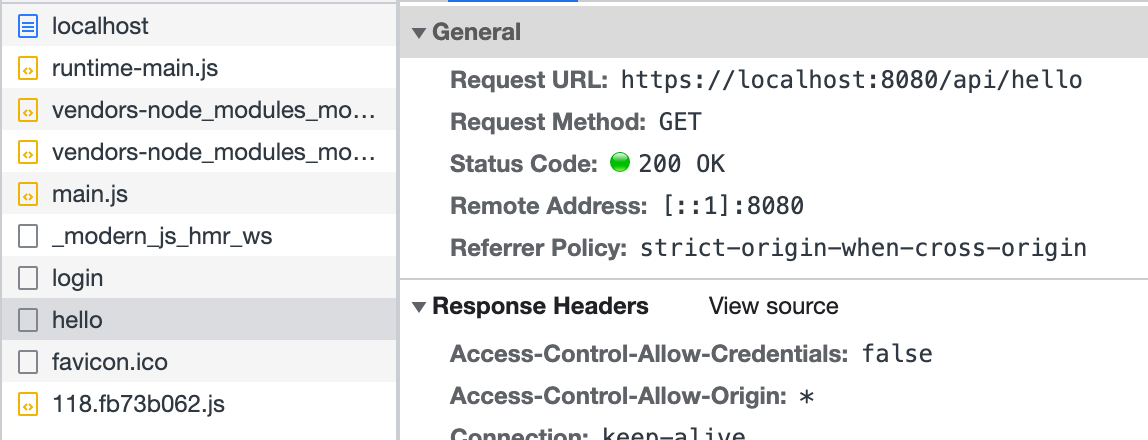
The above code simulates defining middleware in server/Modern.server.ts and implements a simple login function. Similarly, other functionalities can be implemented in this configuration file to extend the BFF Server.